This is a tutorial that I got from the forum and looked to be very useful for troubleshooting. Feel free to read and learn :
(Bud Martin): Basic LCD Troubleshooting Guides

First, if you can, try the monitor with other PC first to make sure it is not the PC problem.
Notes: We are dealing with high voltage that can kill you! so if you are not sure what you are doing,
please have it fixed by the pro that has proper tools and safety equipment. Try to use GFI outlet and
isolation transformer when working around the TV set and DO NOT DEFEAT THE GROUND PIN OF THE
OUTLET/POWER CORD.


The monitor will have at least 2 circuits boards, one board will be the logic board where the video cable from PC is attached to, the second board used in most monitors today is the Power supply/backlight inverter board combinations. Some monitors will have separate power supply module and backlight
inverter board. 


The monitor should be connected to the running PC otherwise it will go into standby mode.
The operations of each board:

1) The Power supply board: 
It takes the 120vac 60Hz and converts it to high voltage DC (around 160~170vdc filtered by the 80~150uf
250~450vdc cap) by the bridge rectifiers to be used by the switching power supply circuits that converts
this DC voltage into a high frequency (around 50~100 KHz) AC for driving the step-down transformer. 


The outputs (usually 2 outputs) of the transformer will be rectified by the diodes to produce the regulated 5vdc
for the logic board, and regulated 12~20vdc (12vdc is usually for screen up to 17inch, 16~24vdc for
18~24 inch screen).

The power supply circuits are always on (unless the monitor uses the power switch that actually
disconnects the power from the outlet which is rarely used these days) which means that it is running
24/7 using the monitor or not, any spikes and surge will be fed into the monitor power supply.

Common problems: 
Blown fuses, bad caps (leaking/bulging tops or bottom seals, please note that bad cap may look normal but it can have high ESR (Equivalent Series Resistance). The DC filter cap should be low ESR type for using in the switching power supply; general purpose electrolytic types will not last very long in switching power supply circuits. Poor solder joints, overheated components.

Testing:
Plug the monitor in but do not activate the power switch so the backlight inverter circuits will be off. Check the 5vdc and the 12~24vdc to make sure they are OK. They should be tested with the load, you can use
6V 1A (6watts) lamp for the 5vdc, and car lamps such as 1157 (12v 8watts lo/26watts high) turn signal
brake lamp using high filament connection for testing the 12~18vdc (or use two 1157 in series for
19~24vdc) for the backlight inverter circuits.  


If the power supplies are working, the output voltages should be steady at the rated voltages. The power supply will go into shut down if it detects too much current draw due to false in the power supply or short circuits in the backlight inverter or in the logic board.

2) The backlight inverter circuits:
It takes the 12~24vdc and converts it to high frequency AC to drive the inverter transformers CCFL (Cold
Cathode Fluorescent Lamp) assemblies. The transformers will drive the CCFL by applying the start up
voltage (around 1500~2000v), when the CCFL start conducting, the voltage will drop down to about
500~800v. 


The inverter has detection circuits to detect open circuit if the lamp is not attached or does not fire up after
the start up voltage is applied, it will go into shut down. It will also shut down if the lamps draw too much
current due to ages (when lamp gets old it will draw more current). 


The inverter gets two signals from the logic board, one is the backlight ON/OFF signal, the other one is
the Dimming signal for the lamps. 


Common problems:
Bad filter caps, resonant caps (in the inverter output circuits), blown transistors/IC, shorted or open
transformer winding.
Testing:
You should have spare lamps for testing the inverter circuits. You can get lamps from www.lcdparts.net

3) Logic board:
The logic board get the signals from the VGA (ANALOG) or DVI (DIGITAL) and processes them and feed them to the LCD panel T-CON (Timing Controller) board on the back of the LCD panel.
It also sends out two signals (backlight ON/OFF and Dimming) to the inverter circuits when the monitor is
on and getting the signals from the PC. 


If the logic board does not get the signal from the PC, it will put the monitor into standby mode.
The 5vdc feeding it is converted to 3.3v, 1.8vdc by the switching buck converters to run the processor.
The logic board also sends the 5vd or 12vdc power for the T-CON board, if the voltage is not there, you
will see white/grey glowing screen only.  


Not much repair you can do on the logic board unless you have the full-service manual and surface mount repair station.

4) CCFL and Inverter circuits testing:
If you don not have the inverter and lamp tester boxes (see www.lcdparts.net), you may be able to do a
simple test by using these steps: 


If the screen flashes on for a second, you can disconnect all the lamp connectors and connect it into one
of the transformer output connector and see if you will see the flash on the screen, if you do, then try it
with another transformer output connector to see if it also get the flash on the screen.  


Repeat the procedure with other 3 lamps. If all the lamps do flash on for seconds then more likely the
lamps are OK. If lamp only flash on one of the transformer output then you will know that the problem in
that transformer inverter circuits. 


If none of the lamps flash at all then the problem is in the inverter circuits, power supply, or not getting the
on signal from the logic board.

This is a tutorial that I got from the forum and looked to be very useful for troubleshooting. Feel free to read and learn :
(Bud Martin): Basic LCD Troubleshooting Guides

First, if you can, try the monitor with other PC first to make sure it is not the PC problem.
Notes: We are dealing with high voltage that can kill you! so if you are not sure what you are doing,
please have it fixed by the pro that has proper tools and safety equipment. Try to use GFI outlet and
isolation transformer when working around the TV set and DO NOT DEFEAT THE GROUND PIN OF THE
OUTLET/POWER CORD.


The monitor will have at least 2 circuits boards, one board will be the logic board where the video cable from PC is attached to, the second board used in most monitors today is the Power supply/backlight inverter board combinations. Some monitors will have separate power supply module and backlight
inverter board. 


The monitor should be connected to the running PC otherwise it will go into standby mode.
The operations of each board:

1) The Power supply board: 
It takes the 120vac 60Hz and converts it to high voltage DC (around 160~170vdc filtered by the 80~150uf
250~450vdc cap) by the bridge rectifiers to be used by the switching power supply circuits that converts
this DC voltage into a high frequency (around 50~100 KHz) AC for driving the step-down transformer. 


The outputs (usually 2 outputs) of the transformer will be rectified by the diodes to produce the regulated 5vdc
for the logic board, and regulated 12~20vdc (12vdc is usually for screen up to 17inch, 16~24vdc for
18~24 inch screen).

The power supply circuits are always on (unless the monitor uses the power switch that actually
disconnects the power from the outlet which is rarely used these days) which means that it is running
24/7 using the monitor or not, any spikes and surge will be fed into the monitor power supply.

Common problems: 
Blown fuses, bad caps (leaking/bulging tops or bottom seals, please note that bad cap may look normal but it can have high ESR (Equivalent Series Resistance). The DC filter cap should be low ESR type for using in the switching power supply; general purpose electrolytic types will not last very long in switching power supply circuits. Poor solder joints, overheated components.

Testing:
Plug the monitor in but do not activate the power switch so the backlight inverter circuits will be off. Check the 5vdc and the 12~24vdc to make sure they are OK. They should be tested with the load, you can use
6V 1A (6watts) lamp for the 5vdc, and car lamps such as 1157 (12v 8watts lo/26watts high) turn signal
brake lamp using high filament connection for testing the 12~18vdc (or use two 1157 in series for
19~24vdc) for the backlight inverter circuits.  


If the power supplies are working, the output voltages should be steady at the rated voltages. The power supply will go into shut down if it detects too much current draw due to false in the power supply or short circuits in the backlight inverter or in the logic board.

2) The backlight inverter circuits:
It takes the 12~24vdc and converts it to high frequency AC to drive the inverter transformers CCFL (Cold
Cathode Fluorescent Lamp) assemblies. The transformers will drive the CCFL by applying the start up
voltage (around 1500~2000v), when the CCFL start conducting, the voltage will drop down to about
500~800v. 


The inverter has detection circuits to detect open circuit if the lamp is not attached or does not fire up after
the start up voltage is applied, it will go into shut down. It will also shut down if the lamps draw too much
current due to ages (when lamp gets old it will draw more current). 


The inverter gets two signals from the logic board, one is the backlight ON/OFF signal, the other one is
the Dimming signal for the lamps. 


Common problems:
Bad filter caps, resonant caps (in the inverter output circuits), blown transistors/IC, shorted or open
transformer winding.
Testing:
You should have spare lamps for testing the inverter circuits. You can get lamps from www.lcdparts.net

3) Logic board:
The logic board get the signals from the VGA (ANALOG) or DVI (DIGITAL) and processes them and feed them to the LCD panel T-CON (Timing Controller) board on the back of the LCD panel.
It also sends out two signals (backlight ON/OFF and Dimming) to the inverter circuits when the monitor is
on and getting the signals from the PC. 


If the logic board does not get the signal from the PC, it will put the monitor into standby mode.
The 5vdc feeding it is converted to 3.3v, 1.8vdc by the switching buck converters to run the processor.
The logic board also sends the 5vd or 12vdc power for the T-CON board, if the voltage is not there, you
will see white/grey glowing screen only.  


Not much repair you can do on the logic board unless you have the full-service manual and surface mount repair station.

4) CCFL and Inverter circuits testing:
If you don not have the inverter and lamp tester boxes (see www.lcdparts.net), you may be able to do a
simple test by using these steps: 


If the screen flashes on for a second, you can disconnect all the lamp connectors and connect it into one
of the transformer output connector and see if you will see the flash on the screen, if you do, then try it
with another transformer output connector to see if it also get the flash on the screen.  


Repeat the procedure with other 3 lamps. If all the lamps do flash on for seconds then more likely the
lamps are OK. If lamp only flash on one of the transformer output then you will know that the problem in
that transformer inverter circuits. 


If none of the lamps flash at all then the problem is in the inverter circuits, power supply, or not getting the
on signal from the logic board.


Why this is important?

Forums are all over the web. Some questions, get answer, some just neglected at all and the problem is you don't know the reasons. You know how to ask questions at the right time and in the right place just isn't enough when asking a question in forums, but it should be followed by the proper way so that interested forum members read it and answer the questions.


My first experience when ask something that mainly related to electronics forums made me realize something. It needs a few key points to get answered in a forum. The thread I created had a response a bit because I didn't figure out in advance.

Have you ever neglected in a forum when asking a question and no one answers it? Pissed Off? Actually, there are certain rules, procedures and reasons to do so. We cannot hope to instantly get the correct answer that quickly.

Members of the forum that you visit might be a busy man/woman so they didn't get to see all the threads and ignore the perceived less important questions.
We have to apply below steps before asking the questions in the forum. So are you ready?

Here is the reasons you didn't get answer in forum:


1. Make sure the answer of questions you are going to ask are not on the web or if the asnwers are on the web like Google, there may be technical or language barriers that are less understood. Try using Google Translate to translate it. If the results of translating less satisfying, try to explain clearly and fully in your question.

2. Try looking for a guide on your question, just maybe there's a manual somewhere.

3. Be sure to read the FAQ (Frequently Asked Questions) before ask and do a search in the forum. If the question was not asked on the forum you can ask it directly with a new thread.

4. Do a thorough search on Google or other search engines such as Yahoo to research these questions. Don't make yourself look ignorance and just want to get a rapid and easy answer without doing nothing.

5. We can do a discussion or ask a friend with email or mailing list, maybe they could give the answer.

6. At the time of the answer you're looking for is still not obtained after all efforts that said above, create a thread about your questions and explain in detail what we have done and the results we get.

7. Use a clear and bright picture if you would like to inquire about specific parts of the picture, do not use a camera that can't deliver maximum results in our picture.

The last thing might sound funny because my English is any less good, but needs to be emphasized when asking a question is try to make grammar, spelling and punctuation were rendered correctly.
Do your best even though our native language we're not English. Once you ask a question in the forum, don't be in a hurry to get the answer. Not everyone has a lot of free time.

I've seen someone make a question with multiple threads at the same time, they are impatient and want to get the answer immediately, of course this is not allowed. That's likely irritating people.

Learn about the forum that we entered. If you sign in to a television technician forum, do not make a thread title like "I NEED HELP!"or "PLEASE HELP ME!" Don't blame me if no one answered you.

In some forums there are provisions to include the name and model of the device you're question. Do with specific and clearly as "LG Flatron LCD Monitor Model L178WSS Shutdown Intermittenly". Just sit down sweetly and I'm sure this question will be answered within a relative short time.

Note the sentence do you use when used to designate a component, do not use words such as "That big capacitor". Better to use a more specific wording and details like "One capacitor 2200uF on + 5V trace"

Open minded and making it clear that you are able and willing to help in the process of developing the solution for yourself. When they suggest to read the manual or datasheet, do and give follow-up question if there are still less understood. Lastly, do what you need to do first before asking a question.

This article is not limited to electronics forums only, we can use the basic guidelines in this article to other forums so we can get answered in forum immediately. Don't forget to read how to use light bulb trick.

Have fun and thanks for coming here.


Why this is important?

Forums are all over the web. Some questions, get answer, some just neglected at all and the problem is you don't know the reasons. You know how to ask questions at the right time and in the right place just isn't enough when asking a question in forums, but it should be followed by the proper way so that interested forum members read it and answer the questions.


My first experience when ask something that mainly related to electronics forums made me realize something. It needs a few key points to get answered in a forum. The thread I created had a response a bit because I didn't figure out in advance.

Have you ever neglected in a forum when asking a question and no one answers it? Pissed Off? Actually, there are certain rules, procedures and reasons to do so. We cannot hope to instantly get the correct answer that quickly.

Members of the forum that you visit might be a busy man/woman so they didn't get to see all the threads and ignore the perceived less important questions.
We have to apply below steps before asking the questions in the forum. So are you ready?

Here is the reasons you didn't get answer in forum:


1. Make sure the answer of questions you are going to ask are not on the web or if the asnwers are on the web like Google, there may be technical or language barriers that are less understood. Try using Google Translate to translate it. If the results of translating less satisfying, try to explain clearly and fully in your question.

2. Try looking for a guide on your question, just maybe there's a manual somewhere.

3. Be sure to read the FAQ (Frequently Asked Questions) before ask and do a search in the forum. If the question was not asked on the forum you can ask it directly with a new thread.

4. Do a thorough search on Google or other search engines such as Yahoo to research these questions. Don't make yourself look ignorance and just want to get a rapid and easy answer without doing nothing.

5. We can do a discussion or ask a friend with email or mailing list, maybe they could give the answer.

6. At the time of the answer you're looking for is still not obtained after all efforts that said above, create a thread about your questions and explain in detail what we have done and the results we get.

7. Use a clear and bright picture if you would like to inquire about specific parts of the picture, do not use a camera that can't deliver maximum results in our picture.

The last thing might sound funny because my English is any less good, but needs to be emphasized when asking a question is try to make grammar, spelling and punctuation were rendered correctly.
Do your best even though our native language we're not English. Once you ask a question in the forum, don't be in a hurry to get the answer. Not everyone has a lot of free time.

I've seen someone make a question with multiple threads at the same time, they are impatient and want to get the answer immediately, of course this is not allowed. That's likely irritating people.

Learn about the forum that we entered. If you sign in to a television technician forum, do not make a thread title like "I NEED HELP!"or "PLEASE HELP ME!" Don't blame me if no one answered you.

In some forums there are provisions to include the name and model of the device you're question. Do with specific and clearly as "LG Flatron LCD Monitor Model L178WSS Shutdown Intermittenly". Just sit down sweetly and I'm sure this question will be answered within a relative short time.

Note the sentence do you use when used to designate a component, do not use words such as "That big capacitor". Better to use a more specific wording and details like "One capacitor 2200uF on + 5V trace"

Open minded and making it clear that you are able and willing to help in the process of developing the solution for yourself. When they suggest to read the manual or datasheet, do and give follow-up question if there are still less understood. Lastly, do what you need to do first before asking a question.

This article is not limited to electronics forums only, we can use the basic guidelines in this article to other forums so we can get answered in forum immediately. Don't forget to read how to use light bulb trick.

Have fun and thanks for coming here.


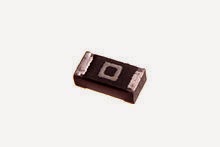
I always wonder the uses of zero ohms resistor, maybe you had too. As we know resistor were used in circuits simply just to oppose the flow of electrical current. It has the value that determined by the color of band on resistor body. You may not need this resistor when building the circuits on the breadboard, but sometimes we could find this zero ohms resistor in commercial circuit such a microcontroller circuit.
Why Zero Ohms Resistor
Picture by Wikipedia
Zero ohms resistor can be a wire wound type or surface mount type; it all depends on the boards. Any type could be adapted to the circuit as long as it does the job well. Keep in mind, this resistor different with current sense resistor since this current sense resistor attached to “sense” the amount of current being used by the load.
Why Zero Ohm Resistor?
Picture by Wikipedia
 Most of zero ohms resistor is available in 1/4Watt and 1/8Watt power rating, and generally marked with a single black band. Due to the fact resistor has a tolerance value. In other word, it still has some internal resistance which is very small like as 0.005ohms and it can be neglected at all.

Why zero ohms resistor used on circuits?

No exact answer for this as it depends on variety reasons. Why we don’t just use a common jumper wire like we do on breadboard since it's just like a simple “conductor”?
There are many reasons behind this question.

The common reasons are:
1.    Most of manufactures use a machine that automatically inserts the components on the boards. That is not an easy job to produce a thousand even a million boards manually. In some cases, they need to connect two points on the printed circuit board and the downside is an automatic machine couldn’t “grasp” the jumper wires. Please never imagine manufactures will insert the jumper wires manually. The other reason is the two points that connected with zero ohms resistor could be used as a test point to measure the current during development and testing.

2.   The engineers have a plan to change the resistor if devices don’t work as their calculation. This will give a flexibility to remove that zero ohms resistor and use more reliable components on printed circuit board.

3.    Saving cost, yes you hear it right. The printed circuit board, especially single sided board is much cheaper than double sided board and that is one of reason to use this resistor as a jumper wire. Double sided board uses a vias to connect the traces and it can’t be applied to a single side board.

4.    For a good looking printed circuit board. The circuit board needs to look neat and inability to connect some points on PCB due to other circuit paths make the designers have to use this zero ohms resistor as well.

Well, at least the circuit boards are still working well and we don’t have a problem with zero ohms resistor. Electronics just like a puzzle and it was fun to learn all about that. If you have some thought, I would like to hear from you.

Thanks for coming here!


I always wonder the uses of zero ohms resistor, maybe you had too. As we know resistor were used in circuits simply just to oppose the flow of electrical current. It has the value that determined by the color of band on resistor body. You may not need this resistor when building the circuits on the breadboard, but sometimes we could find this zero ohms resistor in commercial circuit such a microcontroller circuit.
Why Zero Ohms Resistor
Picture by Wikipedia
Zero ohms resistor can be a wire wound type or surface mount type; it all depends on the boards. Any type could be adapted to the circuit as long as it does the job well. Keep in mind, this resistor different with current sense resistor since this current sense resistor attached to “sense” the amount of current being used by the load.
Why Zero Ohm Resistor?
Picture by Wikipedia
 Most of zero ohms resistor is available in 1/4Watt and 1/8Watt power rating, and generally marked with a single black band. Due to the fact resistor has a tolerance value. In other word, it still has some internal resistance which is very small like as 0.005ohms and it can be neglected at all.

Why zero ohms resistor used on circuits?

No exact answer for this as it depends on variety reasons. Why we don’t just use a common jumper wire like we do on breadboard since it's just like a simple “conductor”?
There are many reasons behind this question.

The common reasons are:
1.    Most of manufactures use a machine that automatically inserts the components on the boards. That is not an easy job to produce a thousand even a million boards manually. In some cases, they need to connect two points on the printed circuit board and the downside is an automatic machine couldn’t “grasp” the jumper wires. Please never imagine manufactures will insert the jumper wires manually. The other reason is the two points that connected with zero ohms resistor could be used as a test point to measure the current during development and testing.

2.   The engineers have a plan to change the resistor if devices don’t work as their calculation. This will give a flexibility to remove that zero ohms resistor and use more reliable components on printed circuit board.

3.    Saving cost, yes you hear it right. The printed circuit board, especially single sided board is much cheaper than double sided board and that is one of reason to use this resistor as a jumper wire. Double sided board uses a vias to connect the traces and it can’t be applied to a single side board.

4.    For a good looking printed circuit board. The circuit board needs to look neat and inability to connect some points on PCB due to other circuit paths make the designers have to use this zero ohms resistor as well.

Well, at least the circuit boards are still working well and we don’t have a problem with zero ohms resistor. Electronics just like a puzzle and it was fun to learn all about that. If you have some thought, I would like to hear from you.

Thanks for coming here!


Many people may already know what is light bulb trick if you haven't; please read and apply this on your repair bench to overcome headaches during the repair electronic equipment. Fixing electronic equipment was very fun and rewarding, especially if we have a hobby in the field of electronics. Do not be surprised if there are people who become successful in repair work.

As a repairer, we must always read and read. Why do I say it twice? Because from reading our knowledge of the field that had sharpened and professionally. From a few references and a friend, I think the safest thing and good for preventing our mistakes in the repair are to use light bulb trick, imagine if you forget to check one of the damaged components that shorted.  


The scary thing that may happen to the electronic equipment is going to explode or catch fire, and of course, it is so insidious, so from now on making it a habit to always use a light bulb trick when repair power supply that has a short circuit. This trick actually has long been practiced by a professional repairer in times past. This continues because of the undeniable existence of this tool is very useful.

The bulb is used an incandescent bulb, do not use a fluorescent bulb because that is not appropriate. These tricks work because the light bulb is a nonlinear component. What it means is not linear? The resistance of the bulb will change according to the temperature at the bulb. If the temperature at the bulb rises, the resistance of the bulb will progressively increase and vice versa. 
This is the underlying use of the bulb to prevent components that have replaced to
broken back if there are still missing by us. How to set it up? It is not difficult. I am going to draw its schema for your better understand. 
Light Bulb Trick Use

We can see that the mains AC supply voltage line that has two lines Live and Neutral. Fuse is usually mounted on the Live line to prevent fires in the event of a short circuit on the electronic device because its function is to disconnect the device automatically when the current that flows is too large. It can be seen that the diode 4 serves as a diode rectifier. You can see mine below.


How to Use Light Bulb Trick

How to setup is fairly easy where we simply plug bulb into the feet of fuse, while the fuse is detachable. When a component in a device damaged shorted, then the bulb will light up brightly. In other words, if the light bulb does not light up when connected to the mains supply means a short circuit does not occur again.
In fact, it is more practical if we directly use a lamp connected to the socket and we connect devices that are ready to be fixed into the socket and the socket of the lamp is connected to the mains supply. That is up to you and have fun! Thanks for coming here. 

Many people may already know what is light bulb trick if you haven't; please read and apply this on your repair bench to overcome headaches during the repair electronic equipment. Fixing electronic equipment was very fun and rewarding, especially if we have a hobby in the field of electronics. Do not be surprised if there are people who become successful in repair work.

As a repairer, we must always read and read. Why do I say it twice? Because from reading our knowledge of the field that had sharpened and professionally. From a few references and a friend, I think the safest thing and good for preventing our mistakes in the repair are to use light bulb trick, imagine if you forget to check one of the damaged components that shorted.  


The scary thing that may happen to the electronic equipment is going to explode or catch fire, and of course, it is so insidious, so from now on making it a habit to always use a light bulb trick when repair power supply that has a short circuit. This trick actually has long been practiced by a professional repairer in times past. This continues because of the undeniable existence of this tool is very useful.

The bulb is used an incandescent bulb, do not use a fluorescent bulb because that is not appropriate. These tricks work because the light bulb is a nonlinear component. What it means is not linear? The resistance of the bulb will change according to the temperature at the bulb. If the temperature at the bulb rises, the resistance of the bulb will progressively increase and vice versa. 
This is the underlying use of the bulb to prevent components that have replaced to
broken back if there are still missing by us. How to set it up? It is not difficult. I am going to draw its schema for your better understand. 
Light Bulb Trick Use

We can see that the mains AC supply voltage line that has two lines Live and Neutral. Fuse is usually mounted on the Live line to prevent fires in the event of a short circuit on the electronic device because its function is to disconnect the device automatically when the current that flows is too large. It can be seen that the diode 4 serves as a diode rectifier. You can see mine below.


How to Use Light Bulb Trick

How to setup is fairly easy where we simply plug bulb into the feet of fuse, while the fuse is detachable. When a component in a device damaged shorted, then the bulb will light up brightly. In other words, if the light bulb does not light up when connected to the mains supply means a short circuit does not occur again.
In fact, it is more practical if we directly use a lamp connected to the socket and we connect devices that are ready to be fixed into the socket and the socket of the lamp is connected to the mains supply. That is up to you and have fun! Thanks for coming here. 

Did you ever see the lights in the house of someone which can lit automatically? You can call it "Dark Activated Lamp". Yes, it is very possible if you know a little about electronics. The necessary components to make this auto lights aren't too complicated. 


You will be calm when encountered outside your house and forgot to turn on the lights of the terrace. Some people are afraid to let his house empty without any light because it is so prone to theft. Those who pass the house can also acknowledge that the owner of the house was not there at home so the lights are not turned on.

Relax, you only need to create a circuit as photos below.

Dark Activated Lamp Schematic


The value of each component is not need too critical and accurate. We can buy it at the nearest electronic store or via online. From a schematic diagram, we can figure out how the circuit work. As for the three resistors, R1, R2 and R3 form a voltage divider circuit to provide a small signal to the base of the transistor to saturated. You can use any small NPN transistor for Q1. D1 is a safety diode to prevent the transistor get damaged, because the relay will generate an inductive voltage spike after the transistor saturated.
Dark Activated Lamp layout

List of Components 

  • R1 = LDR or Photo Resistor
  • R2 = 50k Potentiometer
  • R3 = 1k Resistor
  • D1 = 1N4001-1N4007
  • Q1 = 2N2222 or BC547
  • Relay depends on the power supply that we used. If you use 5V power supply, any relay with 5V to 6V could be used.
You connect the load e.g. a lamp to the relay pins. We can put up LDR outside the box to find out and regulate the intensity of the blackness in your place to activate the relay. 

To be able to set the time of its life lamp , sliding the R2 pot corresponds to the approximate time that you want. You must ensure power rating that can be handled by the relay if the equipment that you will plug from the AC mains supply is switched on. X3 and X2 is the wago connector for attaching the load /lamps.
Don't forget to see mosquito repeller schematic.

Thanks for coming here.

    Did you ever see the lights in the house of someone which can lit automatically? You can call it "Dark Activated Lamp". Yes, it is very possible if you know a little about electronics. The necessary components to make this auto lights aren't too complicated. 


    You will be calm when encountered outside your house and forgot to turn on the lights of the terrace. Some people are afraid to let his house empty without any light because it is so prone to theft. Those who pass the house can also acknowledge that the owner of the house was not there at home so the lights are not turned on.

    Relax, you only need to create a circuit as photos below.

    Dark Activated Lamp Schematic


    The value of each component is not need too critical and accurate. We can buy it at the nearest electronic store or via online. From a schematic diagram, we can figure out how the circuit work. As for the three resistors, R1, R2 and R3 form a voltage divider circuit to provide a small signal to the base of the transistor to saturated. You can use any small NPN transistor for Q1. D1 is a safety diode to prevent the transistor get damaged, because the relay will generate an inductive voltage spike after the transistor saturated.
    Dark Activated Lamp layout

    List of Components 

    • R1 = LDR or Photo Resistor
    • R2 = 50k Potentiometer
    • R3 = 1k Resistor
    • D1 = 1N4001-1N4007
    • Q1 = 2N2222 or BC547
    • Relay depends on the power supply that we used. If you use 5V power supply, any relay with 5V to 6V could be used.
    You connect the load e.g. a lamp to the relay pins. We can put up LDR outside the box to find out and regulate the intensity of the blackness in your place to activate the relay. 

    To be able to set the time of its life lamp , sliding the R2 pot corresponds to the approximate time that you want. You must ensure power rating that can be handled by the relay if the equipment that you will plug from the AC mains supply is switched on. X3 and X2 is the wago connector for attaching the load /lamps.
    Don't forget to see mosquito repeller schematic.

    Thanks for coming here.